
DJ Promo Page: How to Receive Music from Artists, Labels & Promoters Through One Professional Link
A practical guide to DJ promo pages: what to put on one, how to set clear submission rules, how artists and labels use it, and the real GYSNOIZE My Promo Page workflow.
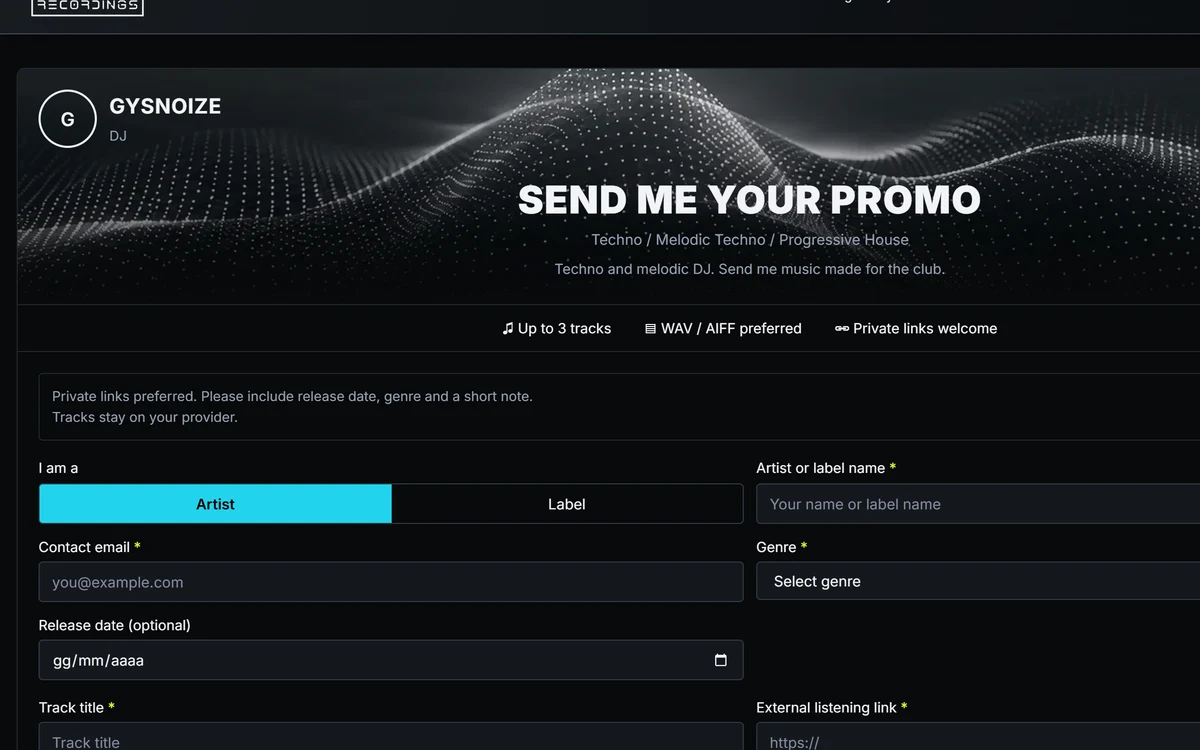
A practical guide to promo pages for DJs: one public link where artists, labels and promoters send you music, with your genres, your rules and a form that collects everything you need to listen.
Ask a DJ how they receive new music and the answer is usually «everywhere». Direct messages, emails with three different download services, a link in the comments of a post. Artists want to reach you, but they do not know how, what you play or what you need from them. A promo page answers all three questions with a single link.
What is a DJ promo page?
A promo page is a public page that belongs to a DJ and is made for one job: receiving music. It says who you are and what you play, sets out the rules for sending, and gives senders a form with the fields you need. You share the link in your bio, on your website or in a reply, and every submission arrives in the same place.
Artists who want to send their own release to many DJs at once use a different tool, a promo campaign; our guide on how to send music to DJs covers that side.
What a good promo page includes
- Your name and image — so senders know they reached the right DJ.
- A short bio — one or two lines on what you play and where.
- Your genres — the clearest filter there is. A techno DJ does not need a jazz promo.
- What you accept — unreleased, released or both, and how many tracks per submission.
- How to send audio — which link services you accept and whether private links are welcome.
- Short guidelines — «Please include release date, genre and a short note» saves you a reply.
Rules that protect your time
Clear rules are not unfriendly; they are what makes a page usable. A track limit stops twenty-track dumps. Asking for an external listening link keeps large files out of your inbox. Genre choices limited to what you play mean the sender has to think before sending. And a confirmed email address on every submission keeps out most automated spam.
Sharing the page professionally
- Put the link in your social bios and on your website.
- Reply to «where can I send you music?» with the link instead of an email address.
- Add it to your press kit and your booking enquiries.
- When you are not listening for a while, close submissions rather than letting promos pile up.
Inside GYSNOIZE My Promo Page: A Real Walkthrough
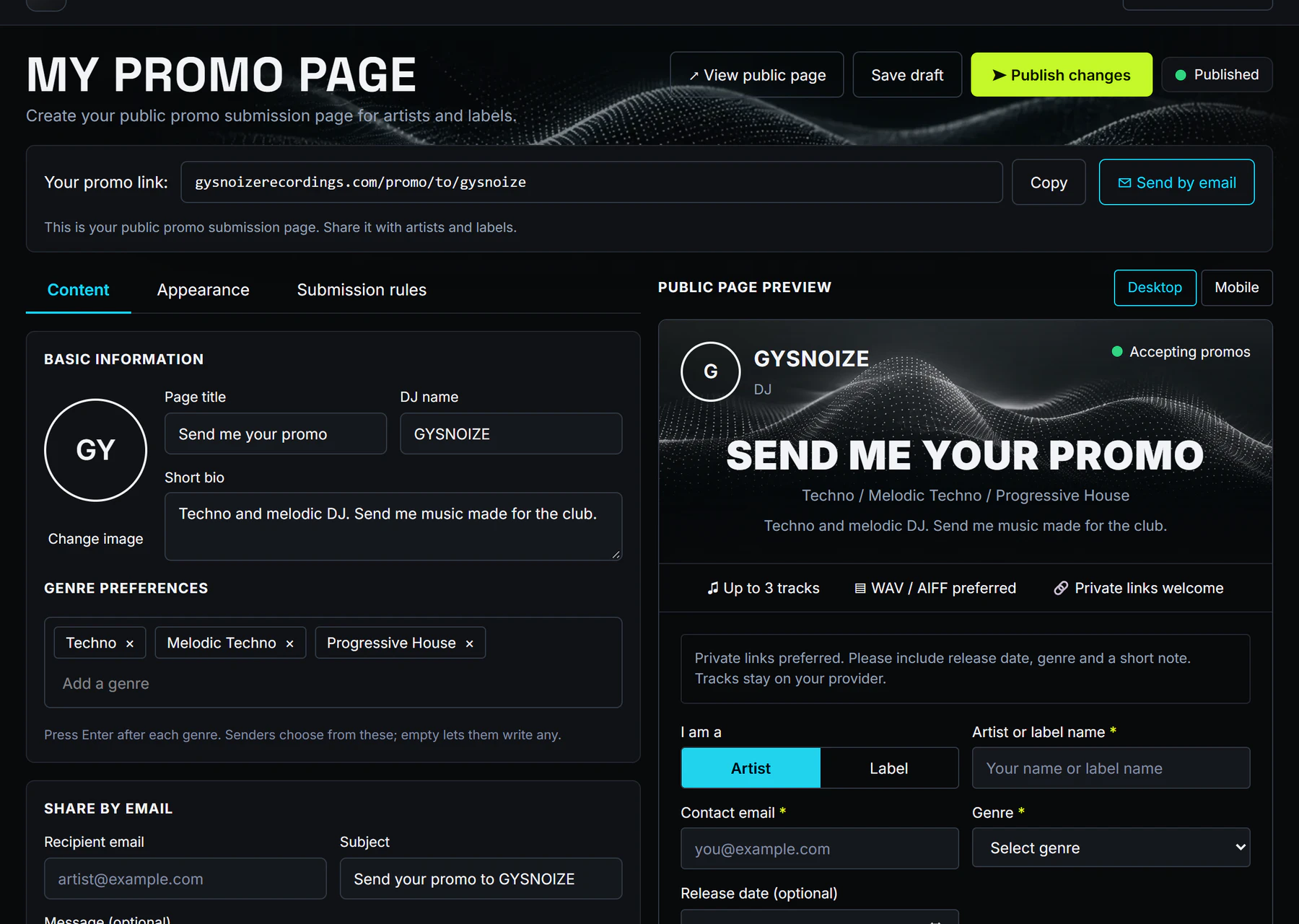
My Promo Page lives in the DJ area of a GYSNOIZE account. The screenshots come from the live site; the page shown is published as GYSNOIZE at gysnoizerecordings.com/promo/to/gysnoize.
Step 1: Fill in the content
The Content tab holds the image, page title, DJ name, short bio and your genre preferences. Senders choose their genre from that list; leave it empty and they can write any. On the right a Public page preview shows the page as it will look, on desktop or on mobile. At the top are your promo link with Copy, View public page, Save draft and Publish changes.
Step 2: Choose the look
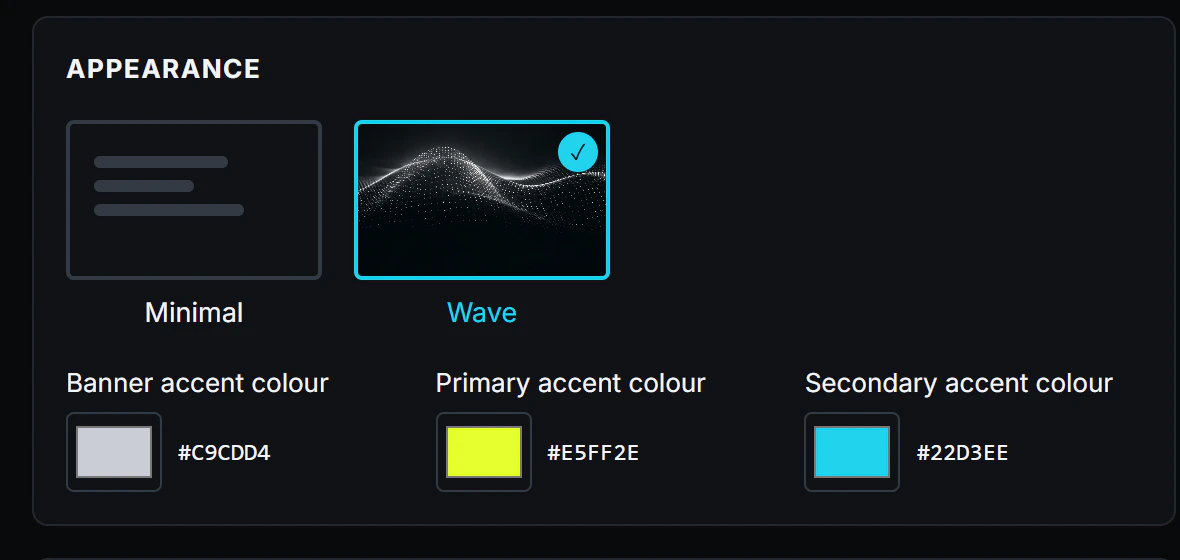
Appearance offers two banner styles, Minimal and Wave, and three colours: banner accent, primary accent and secondary accent. The preview updates as you change them.
Step 3: Set the submission rules
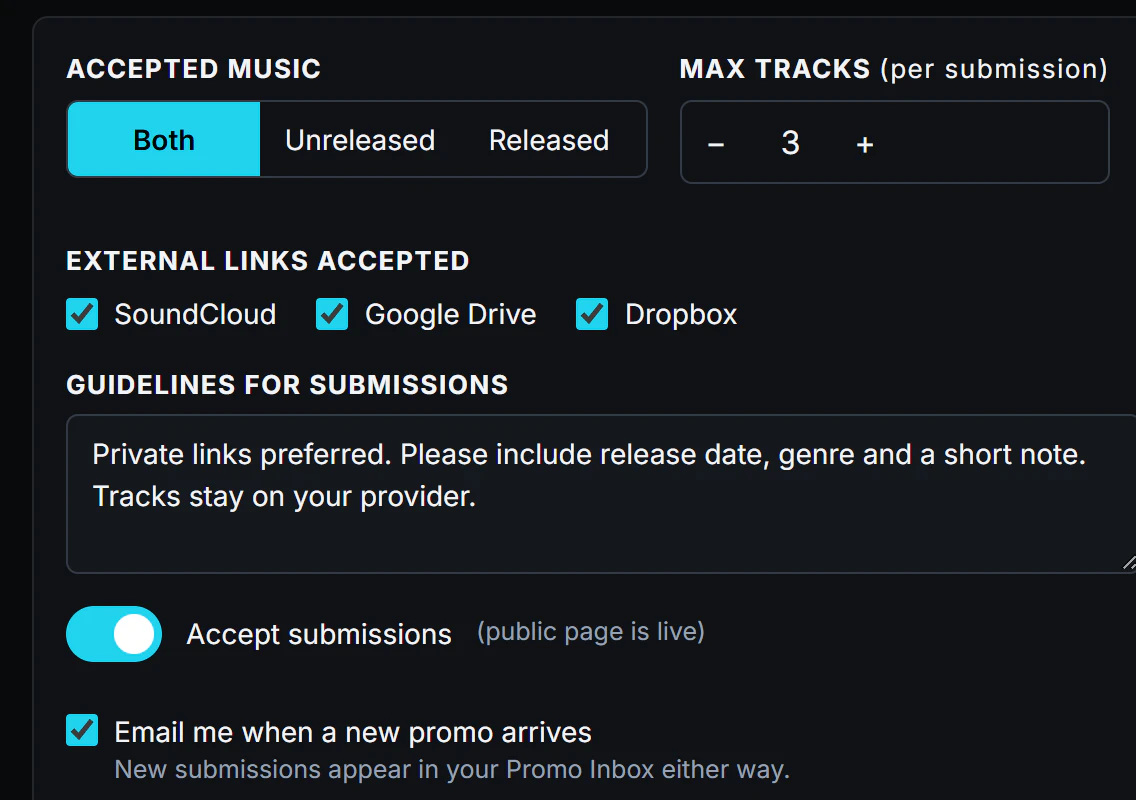
Submission rules decide what you accept: unreleased, released or both; a maximum number of tracks per submission; which link services are accepted (SoundCloud, Google Drive, Dropbox); and your guidelines in your own words. Accept submissions turns the public page on or off, and you can choose to be emailed when a new promo arrives. New submissions appear in your Promo Inbox either way.
Step 4: Publish and share the link
Publish changes puts the page live; the status beside it reads Published. Copy the link, or use Share by email: write a recipient, subject and message, and Open email draft opens it in your own email program with your link added at the end. It goes from your own address, not from GYSNOIZE.
Step 5: What senders see
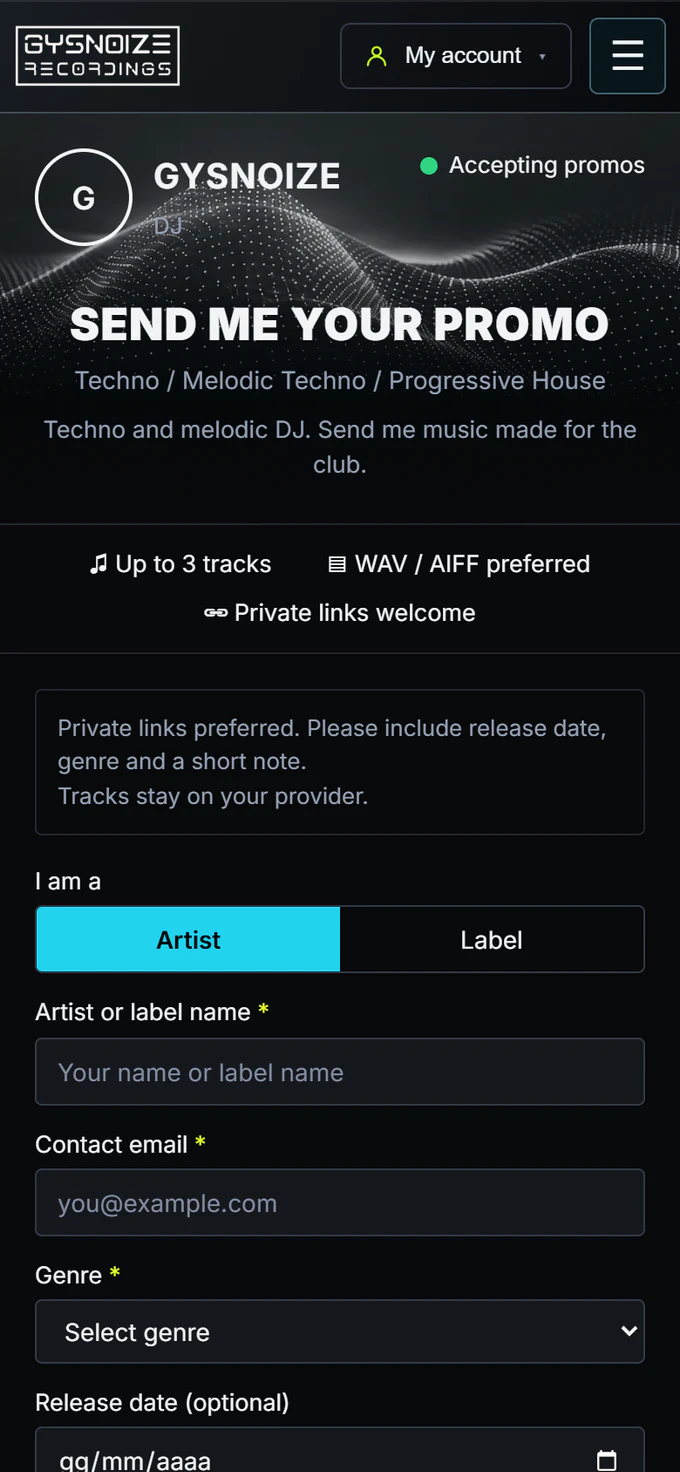
The public page shows your name, «Accepting promos», your genres and bio, the rules in short («Up to 3 tracks», «WAV / AIFF preferred», «Private links welcome») and the form. A sender says whether they are an artist or a label and gives a name, contact email, genre, optional release date, track title and an external listening link, can add more tracks up to your limit, a short message and an optional cover, and confirms they have permission to share the music. No account is needed, but the email address has to be confirmed.
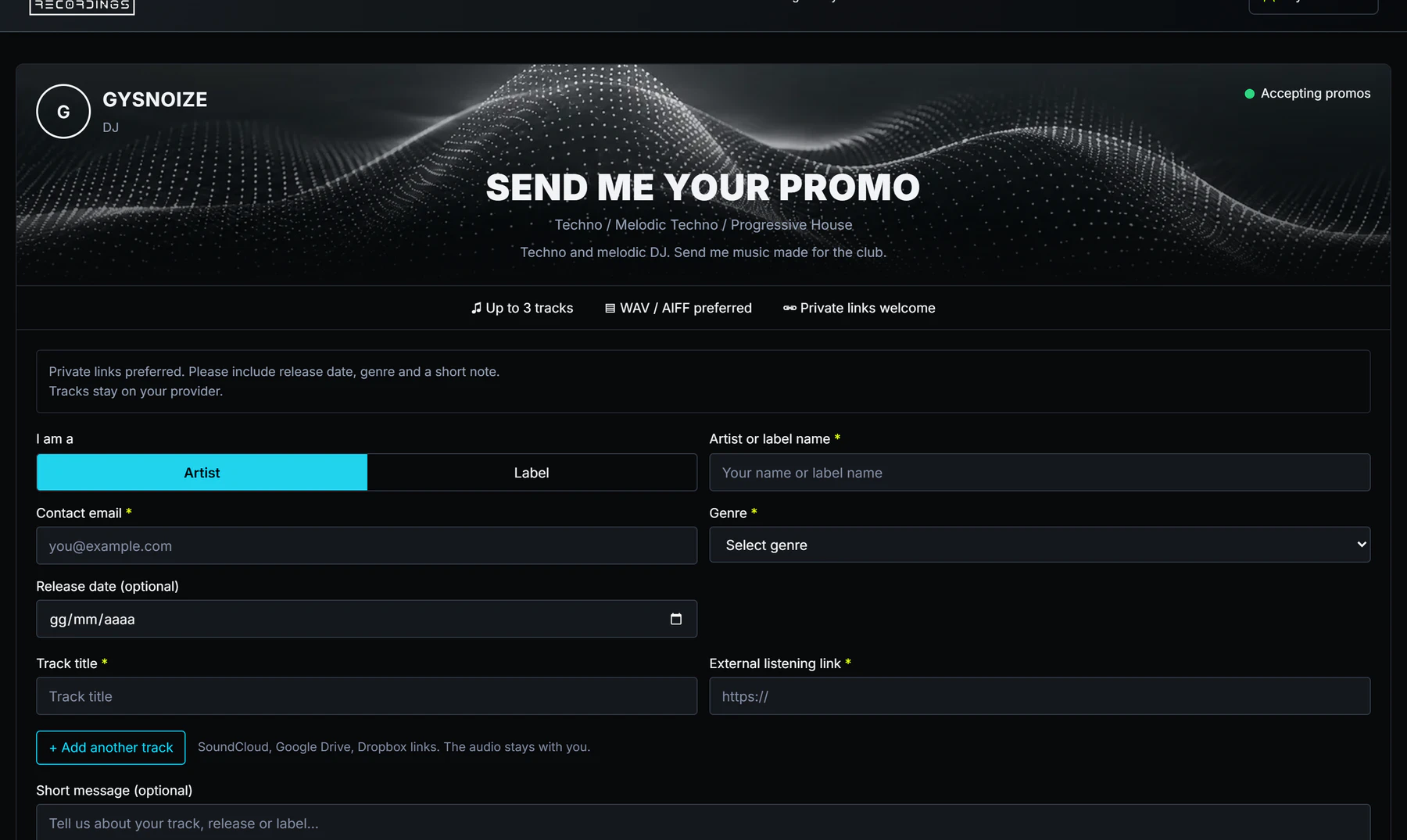
The audio itself stays with the sender's provider: the form takes a link, not a file. On a phone the page stacks into one column.
Step 6: Listen in Promo Inbox
Every submission lands in your Promo Inbox, tagged as sent to your link, where you listen, rate it and reply with feedback.
What We Verified
| My Promo Page | |
|---|---|
| Who it is for | DJs, to receive music. Artists and labels use it to send, without an account. |
| Audio | An external listening link. The audio stays with the sender. |
| Spam control | Email confirmation on every submission, genre list, track limit, accepted link services. |
| Look | Minimal or Wave banner and three accent colours, previewed on desktop and mobile. |
| Where promos go | Your Promo Inbox, with an optional email alert. |
Frequently asked questions
Do artists need a GYSNOIZE account to send me music?
No. They fill in the form and confirm their email address.
Can senders upload audio files?
No. They share a listening link from a service you accept, such as SoundCloud, Google Drive or Dropbox.
Can I pause submissions?
Yes. Switch off Accept submissions in Submission rules.
Is My Promo Page included for free DJs?
The DJ Free plan lists My Promo Page. Every plan and what it includes is on the For DJs page.
Give Artists One Clear Way to Reach You
A page with your genres, your rules and one form turns scattered messages into promos you can actually listen to, and shows senders you take their music seriously.