
DJ Promo Inbox: How to Receive, Review and Organize Music Promos
A practical guide to receiving promotional tracks, reviewing new releases, organizing music submissions and communicating useful feedback to artists and labels.
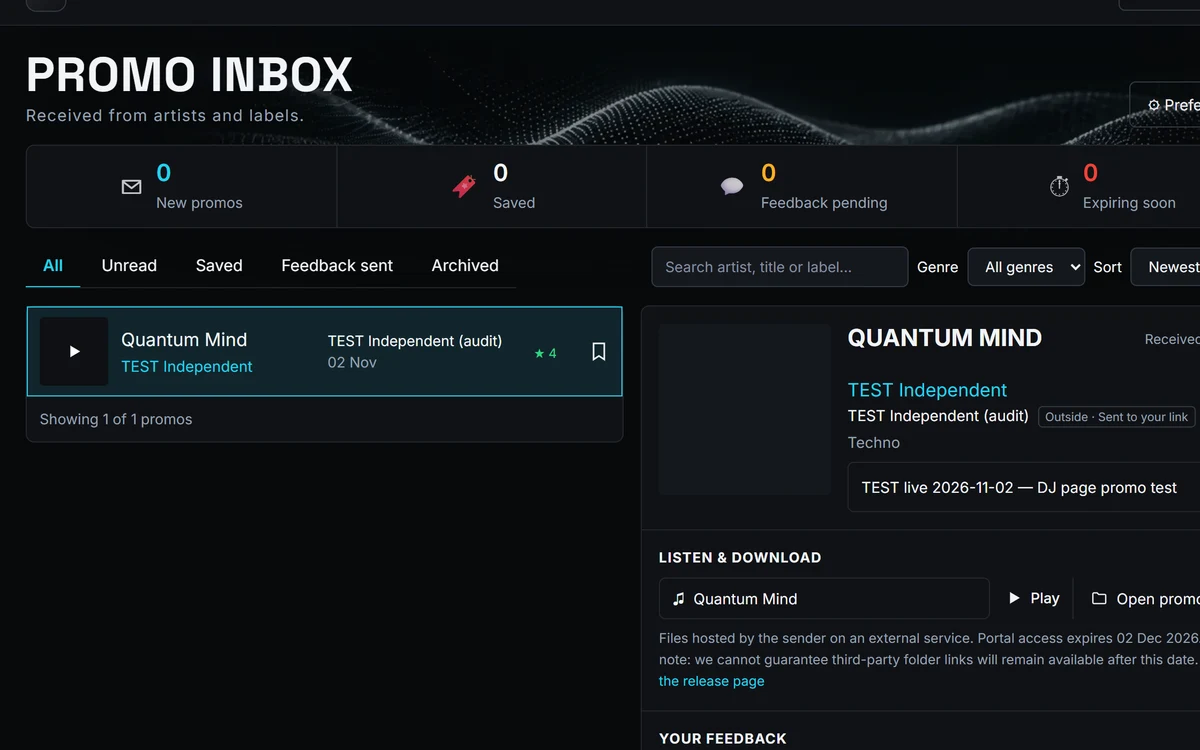
A practical guide to receiving promotional tracks, listening efficiently, giving feedback that actually helps, and keeping new music in order, with a real walkthrough of the GYSNOIZE Promo Inbox.
Once DJs start playing out, music arrives from everywhere: emails with download links, private SoundCloud messages, folders shared by labels, tracks from friends. The good records get buried under the rest, and artists who took the time to send something never hear back. A promo inbox gives every promo one place to land, be heard and be answered.
What is a DJ promo?
A promo is music sent to a DJ before or around its release so that it can be heard, played and talked about. It usually comes with a listening link, a download folder, release details and a request for feedback. For the artist or label, a DJ's reaction is early information about how a track works in a real set.
Why promos get lost
- Too many channels — email, messages and shared folders each hold part of the picture.
- No context — a bare link without genre, release date or a short note is easy to skip.
- Expiring links — download folders close, and the track disappears before you listen.
- No reply — without an easy way to answer, feedback never gets written.
How to review promos efficiently
- Set a listening slot. Two short sessions a week beat a backlog you never clear.
- Filter first. Start with the genres you play and the promos that expire soonest.
- Listen with intent. Intro, first drop, breakdown, outro: would this work in your set?
- Decide quickly. Play it, maybe, or not for you. A clear «not for me» is useful too.
- Save the keepers so they are ready when you prepare your next set.
Feedback that helps artists
Useful feedback is short and specific. Say where you would play it («peak time», «warm-up»), what works («clean drop, strong groove») and, if you have one, a single suggestion. Avoid vague praise and avoid long critiques. Be honest: a promise to play a track you will not play helps nobody.
How to Use GYSNOIZE Promo Inbox — A Real Product Walkthrough
Promo Inbox lives in the DJ area of a GYSNOIZE account. The screenshots come from the live site on a real DJ account. The promo shown, «Quantum Mind», is a test promo sent to that account through its own promo link.
Step 1: Choose the genres you play
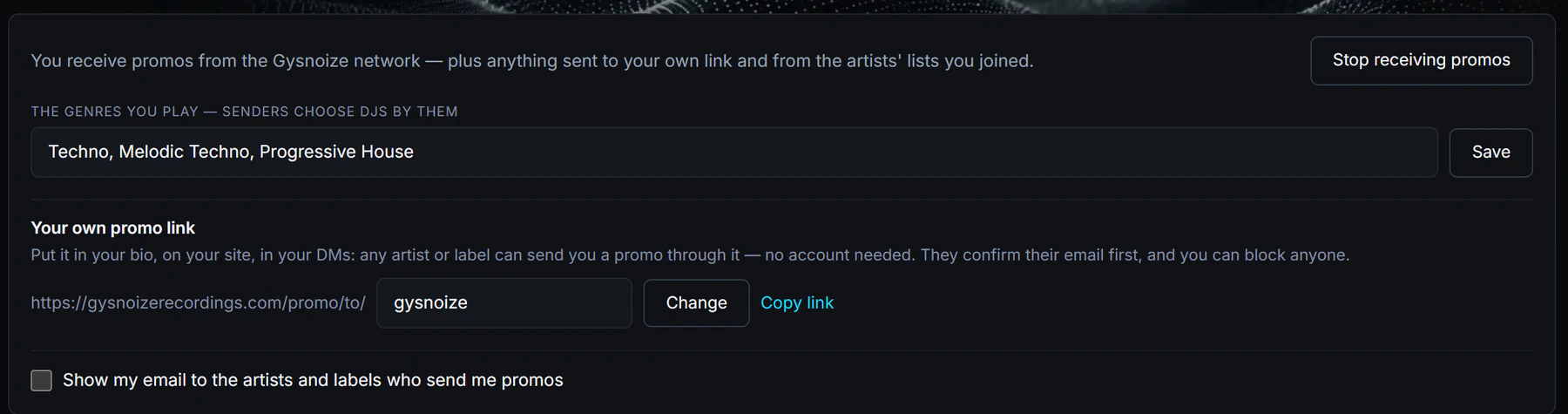
Open Preferences. Senders choose DJs by the genres they play, so until you pick at least one genre the Gysnoize network sends you nothing. Once you have, you receive promos from the Gysnoize network, plus anything sent to your own link and from the artists' lists you joined. The same panel holds Your own promo link, the option to show your email to senders, and Stop receiving promos.
Step 2: Read the inbox at a glance
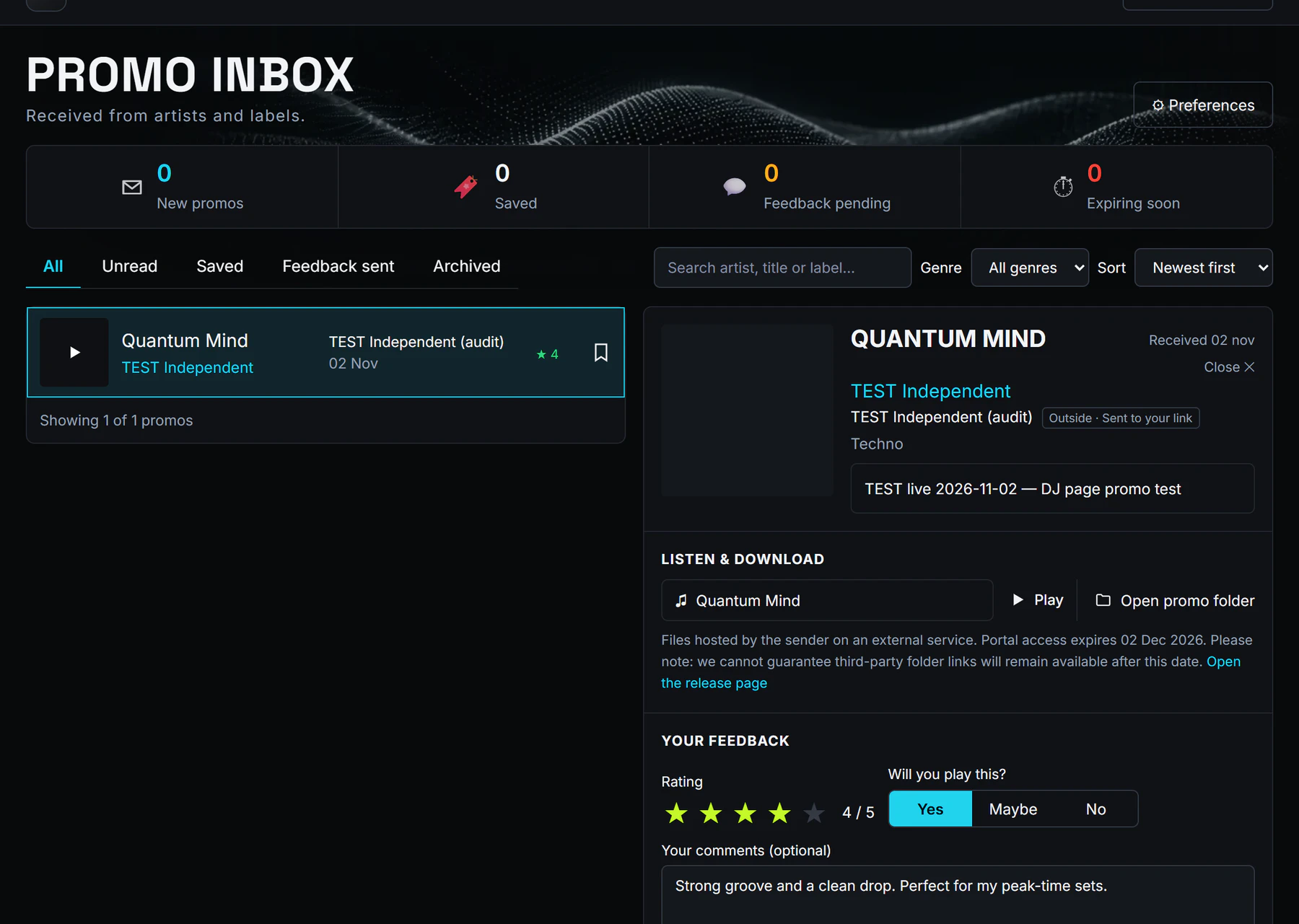
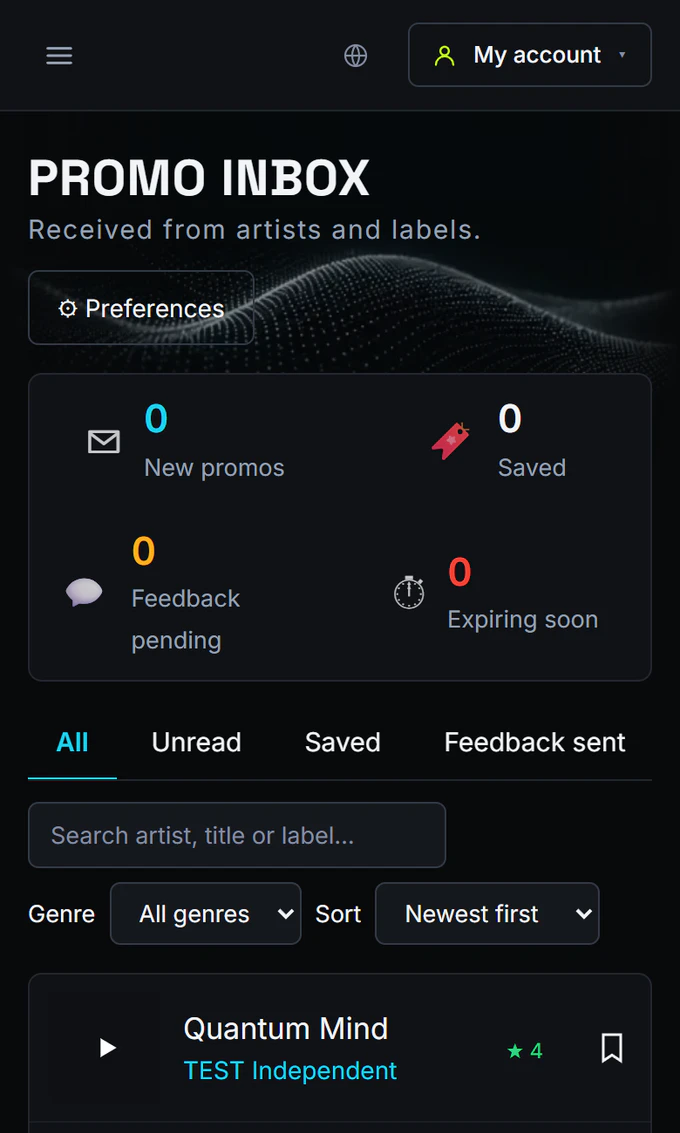
Four counters sit above the list: New promos, Saved, Feedback pending and Expiring soon. Tabs split the list into All, Unread, Saved, Feedback sent and Archived. You can search by artist, title or label, filter by genre and sort by newest, oldest, expiring first or release date.
Step 3: Open a promo and listen
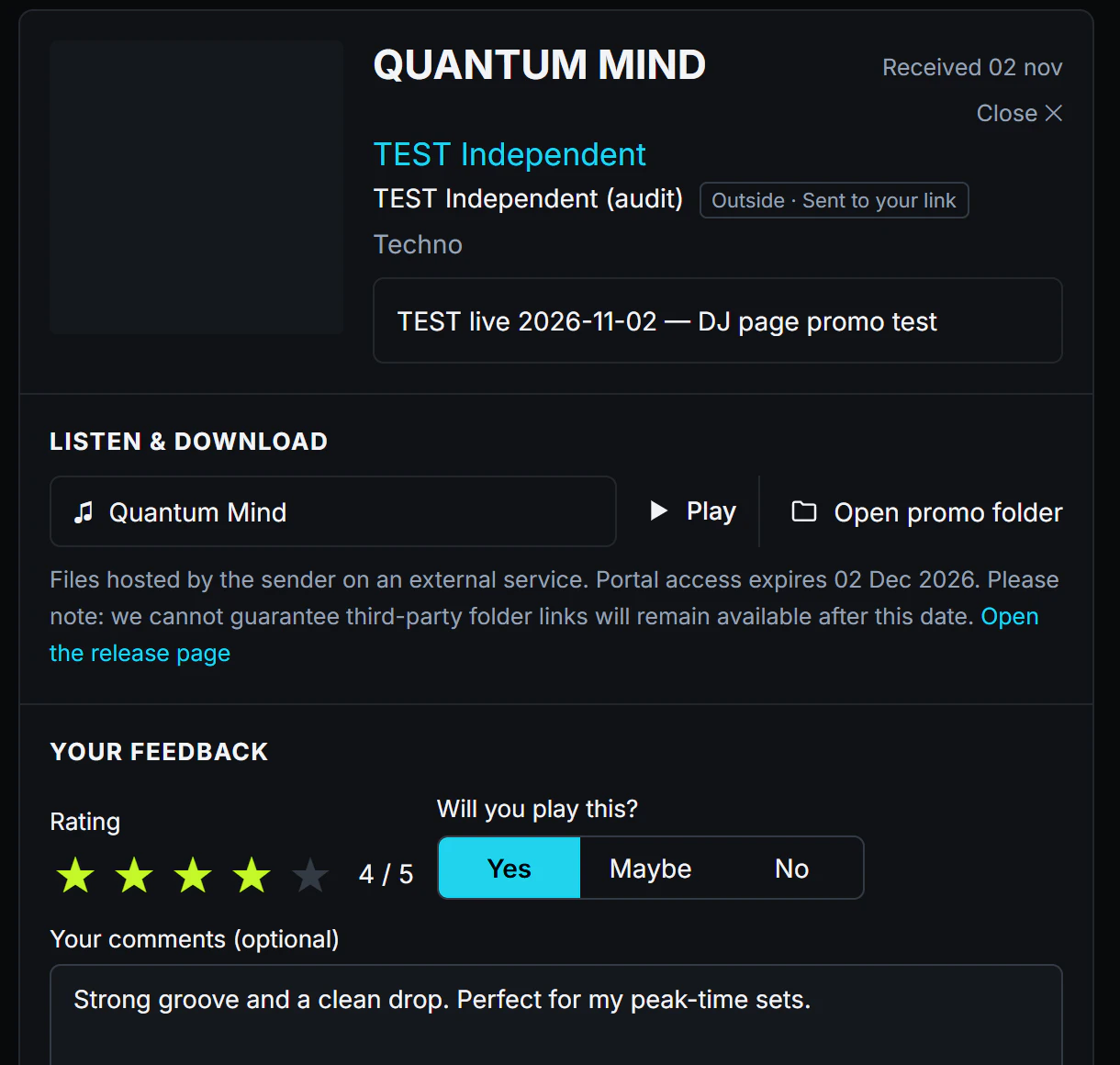
A promo opens beside the list with the title, sender, label, genre and the sender's message. A tag shows where it came from; this one reads «Outside · Sent to your link». Under Listen & download you play the track. The files are hosted by the sender on an external service, and the panel shows the date the promo access closes. GYSNOIZE does not store the audio and cannot keep a third-party folder online.
Step 4: Rate it and give feedback
Your feedback has a rating out of five stars, Will you play this? (Yes, Maybe or No) and an optional comment. You can allow the sender to quote your feedback publicly; it is off unless you tick it. When the sender has asked for feedback first, the promo folder opens once you have rated it. On the account below the feedback was 4/5, «Yes», with a one-line comment.
Step 5: Save, archive or stop a sender
Save promo keeps a track for later. Under the feedback are Archive, Unsubscribe from this sender, Report promo and Delete, so a sender you do not want to hear from again is one click away.
Step 6: Check it on your phone
On a phone the counters, tabs and list stack in one column, which is enough to catch up on promos between gigs.
What We Verified in the Product
| Promo Inbox | |
|---|---|
| Where promos come from | The Gysnoize network by your genres, your own promo link, and the artists' lists you joined. |
| Audio | Hosted by the sender on an external service. GYSNOIZE does not store the files. |
| Feedback | Stars out of 5, Yes / Maybe / No, an optional comment, public quote only if you allow it. |
| Organizing | Tabs, genre filter, search, four sort orders, Save and Archive. |
| Control | Unsubscribe from a sender, report a promo, delete, or stop receiving promos. |
Promo Inbox, Promo to DJs and My Promo Page
Three GYSNOIZE tools deal with promos, from opposite sides:
| Tool | Who uses it | What it does |
|---|---|---|
| Promo Inbox | DJs | Receive, listen, rate and organize the promos sent to you. |
| My Promo Page | DJs | A public page where artists and labels send you promos, no account needed. |
| Promo to DJs | Artists and labels | Send a release to the DJs on your list and collect their feedback. |
If you are a DJ, set up My Promo Page so senders have one address for you. If you make music yourself, our guide on how to send music to DJs covers the other side. Keeping the music you choose in order is covered in the DJ Crates guide.
Frequently asked questions
Do I need to download every promo?
No. Listen first; download only what you would play. The folder stays with the sender's provider.
Why am I not receiving promos from the network?
Senders choose DJs by genre. Until you pick at least one genre in Preferences, the Gysnoize network sends you nothing. Promos to your own link still arrive.
Can the sender see my email?
Only if you choose to show it in Preferences.
Is my feedback public?
Your feedback goes to the sender. It can be quoted publicly only if you tick the option to allow it.
Can I send promos from the DJ area?
Promos are sent from the Artist area with an artist account, using Promo to DJs.
Give Every Promo a Clear Place to Be Heard
One inbox, a few listening slots a week and a line of honest feedback make you a DJ artists want to send music to, and keep the best new records within reach.